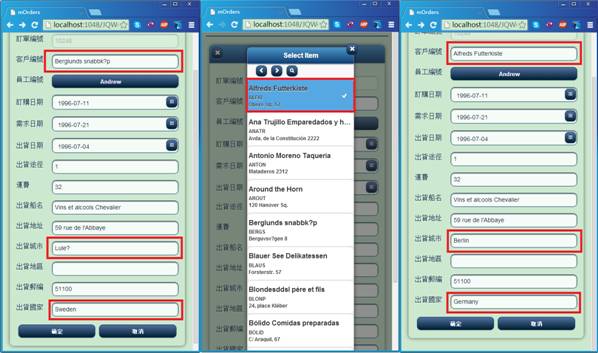
3-3 RefVal進階設計(ColumnMatchs)
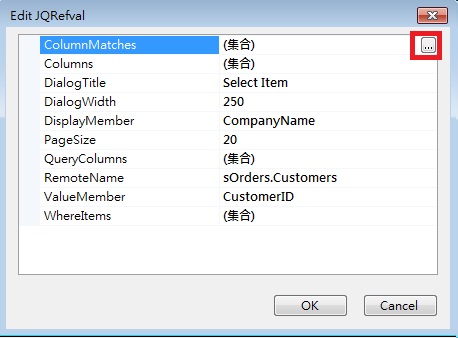
以剛剛的RefVal為例,打開JQRefVal,選擇ColumnMatches。
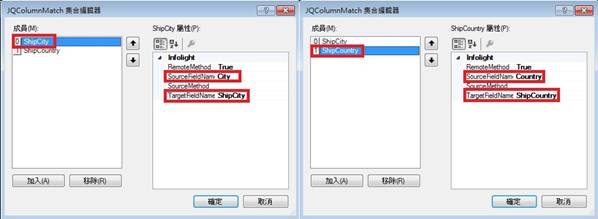
打開JQColumnMatch後,添加2個Items,分別為ShipCity、ShipCountry,ShipCity的SourceFieldName點選City、TargetFieldName點選ShipCity;ShipCountry的SourceFieldName點選Country、TargetFieldName點選ShipCountry。
選擇完CustomerID後,便會帶入ShipCity、ShipCountry。